
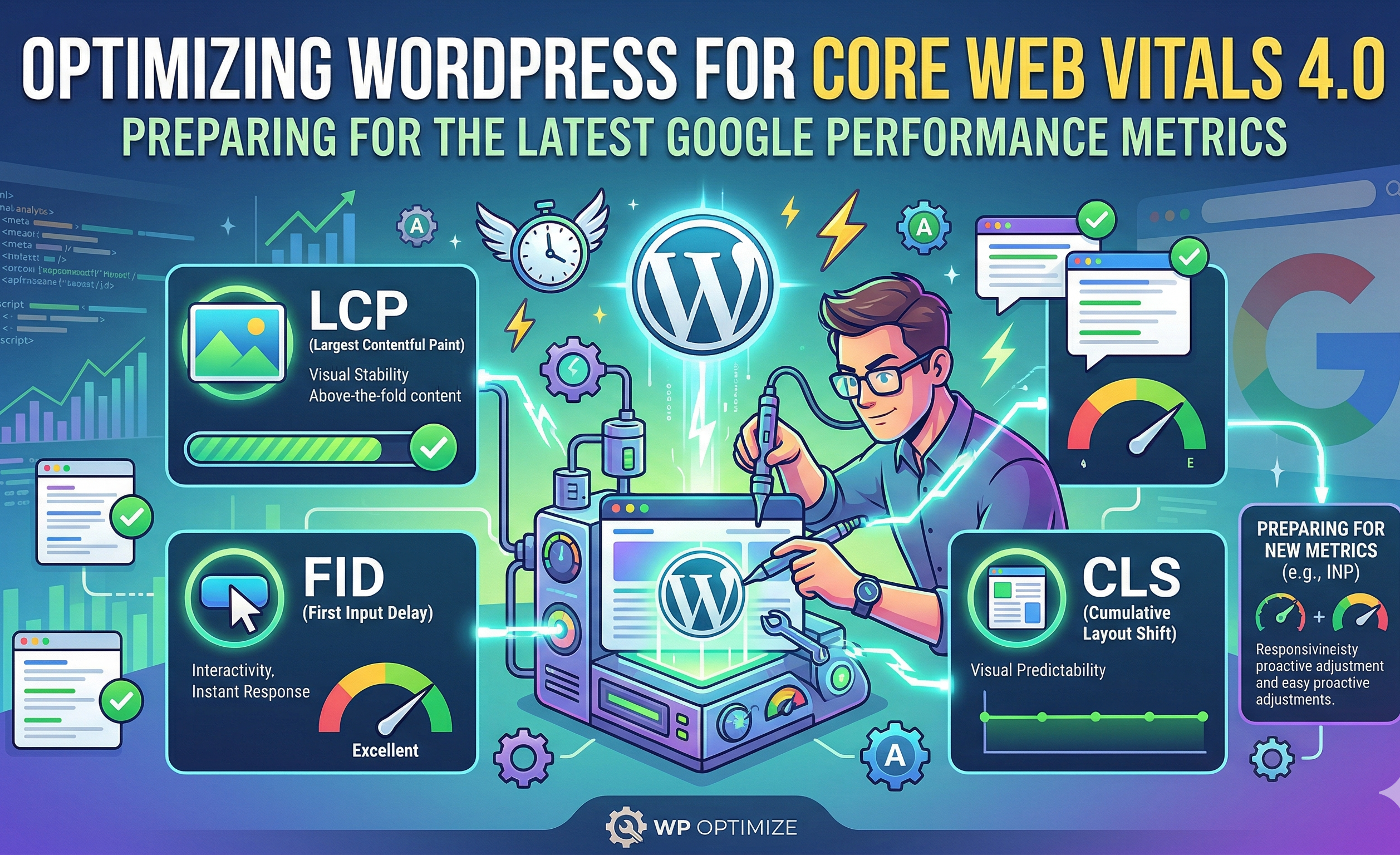
The digital landscape continues to be shaped by search engine algorithms that prioritize real-world user interaction and visual accessibility over theoretical load speeds. Central to this evolution is the Core Web Vitals initiative, a performance framework established to evaluate page experience across three core pillars: loading speed, interactivity, and visual stability. Over the past several years, these parameters have transitioned from experimental guidelines to primary ranking signals, pushing platform owners to treat front-end execution delays as critical search engine optimization priorities. For content management systems, particularly those relying on heavily plugin-dependent architectures, adapting to the latest iterations of these metrics requires an in-depth understanding of how execution delays map directly to search visibility and user retention.
The Core Web Vitals 4.0 Ecosystem and the Shift to Real-User Field Data
The transition away from simulated lab conditions to continuous field data underscores the reliance on real-world browsing behaviors. When organizations seek to audit their existing infrastructure, consulting with a custom wordpress development company provides a pathway to identifying deep-seated code redundancies that inflate these scores. Unlike traditional speed testing that isolates server requests on a high-speed wired connection, the Core Web Vitals framework heavily emphasizes mobile interactions. Google captures this data through the Chrome User Experience Report (CrUX), reflecting the actual experience of human navigators over a rolling 28-day window. Consequently, immediate performance fixes do not reflect instantly on search console dashboards, demanding that developers build sustained, foundational optimizations rather than chasing temporary artificial scores on diagnostic tools.
Evaluating a platform involves a precise breakdown of three specific metrics: Largest Contentful Paint (LCP), Interaction to Next Paint (INP), and Cumulative Layout Shift (CLS). Largest Contentful Paint targets the exact moment the most significant content block rendered within the user viewport becomes visible. Interaction to Next Paint has recently replaced First Input Delay (FID) as the defining responsiveness metric, shifting the focus from the initial load to the total time required to process and render a visual response across all clicks and taps executed during the user’s visit. Cumulative Layout Shift calculates visual stability by quantifying how often content shifts unexpectedly as assets load.
To provide a framework for these evaluations, data standards define clear boundaries between acceptable and deficient performance. The threshold metrics reflect how severely minor execution delays impact user bounce rates.
The causal relationships between these scores and overall digital health are heavily documented. When a site fulfills the criteria for passing metrics, search visibility typically improves. More importantly, fluid interactions directly correlate with high conversion rates and lower abandonment, as friction points are removed from the digital storefront or media property. For large-scale portals that rely heavily on dynamic elements, the transition of FID to INP exposed major responsiveness issues. FID only measured the time until the browser could begin processing the very first interaction. If subsequent clicks were delayed by long JavaScript execution or complex layout calculations, FID ignored them. INP instead surveys all interactions and reflects the full latency a user experiences, holding platforms accountable for the duration of the entire interaction cycle.
Advanced Remediation Strategies for Interaction to Next Paint Latency
Achieving a smooth, highly interactive experience requires a rigorous evaluation of how a site processes user input on mobile processing chips. When organizations require heavy functional elements without sacrificing the fluidity of interaction, procuring professional custom wordpress development services from a dedicated provider like Softix becomes indispensable to carefully split long tasks and optimize event listeners. These specialized operations ensure that the main thread remains available to process clicks and taps swiftly.
Interactivity lockups are predominantly caused by long tasks, defined as continuous JavaScript executions taking longer than 50 milliseconds to complete. When the main thread becomes occupied by these monolithic scripts, user inputs are queued, leaving the browser with a frozen, non-responsive interface. Breaking up long tasks requires refactoring operations to utilize asynchronous functions or yielding control periodically using functions like setTimeout. This practice allows the browser to breathe between chunks of work, giving precedence to user clicks or scrolls before returning to processing secondary tasks.
Furthermore, event listeners on common triggers like mouse scrolls and window resizing must be actively monitored. Unoptimized listeners fire hundreds of times per second, executing complex layout calculations repeatedly in what is known as layout thrashing. Implementing debouncing or throttling techniques ensures that callback functions only execute at necessary intervals, drastically decreasing main thread workload.
The structural integrity of a digital platform frequently dictates its performance ceiling, particularly within systems that have accumulated years of legacy code. An analysis of standard theme deployments indicates that many off-the-shelf options contain substantial bloat that degrades core metrics. Stripping away unnecessary elements and building lean, performance-centric architectures natively complies with strict web vitals thresholds. To achieve this, several structural variables must be measured and contained within reasonable operational limits.
Many legacy installations still operate using heavy page builders that inject several layers of wrapping division tags to achieve design layouts. This practice inevitably leads to large Document Object Model (DOM) trees, directly competing with the browser’s main thread and lowering processing speeds. When thousands of nodes are established, calculating styles and executing interactions becomes overwhelmingly heavy for mobile processors. Aiming for strict architectural parameters, such as containing the DOM tree to fewer than 1,500 total nodes and restricting the maximum depth to under 32 levels, serves as a safeguard against interface lockups.
Eradicating Layout Shifts and Stabilizing Document Object Model Reflows
The visual stability of a web page is directly linked to user trust and interface usability, as unexpected movements during loading can lead to erroneous clicks and severe user frustration. Professional approaches to custom wordpress website development mandate that width and height attributes be specified for all visual assets, providing a direct instruction to the browser to reserve spatial dimensions in the layout grid before full asset rendering occurs. By hardcoding layout dimensions and reserving exact spaces for late-loading resources, developers can effectively mitigate the common culprits behind high layout shift scores.
Historically, front-end developers moved away from specifying width and height attributes in favor of relying entirely on fluid CSS styling for responsive design. This omission forced the browser to download the complete image asset before it could accurately compute the container space needed, resulting in the layout abruptly jumping once the image appeared. Modern browser standards have mitigated this by using specified width and height attributes to calculate an aspect ratio mapping prior to the file being fully retrieved.
Asset impact maps show that different optimization strategies carry varying weights in improving specific Core Web Vitals metrics. Selecting the correct remediation method prevents the misallocation of development resources.
| Optimization Strategy | Primary Metric Improved | Impact Level |
| Break up long JavaScript tasks | INP | High |
| Reduce third-party scripts | LCP, INP | Medium |
| Minimize DOM size | INP | Medium |
| Optimize font loading | CLS | Medium |
The intrusion of dynamic content such as cookie consent banners, newsletters popups, and third-party advertising frames routinely pushes existing document text downward. Unless container dimensions are strictly reserved via CSS prior to network injection, dynamic elements will consistently trigger layout shifts. A highly effective rule of thumb is to either place dynamically injected content below the initial viewport fold or strictly configure it to appear only in response to a direct user action. When shifts happen within a 500-millisecond window of a physical click, they are largely excused from Cumulative Layout Shift penalties as they are anticipated by the browser logic as expected transitions.
Typography loading sequences represent another overlooked trigger of visual shifts. When custom web fonts take several seconds to stream over the network, browsers routinely execute one of two behaviors: they either hide the text until the file loads, leading to a flash of invisible text, or they employ a local system font before swapping it once the custom file arrives. This sudden swap frequently causes entire text blocks to resize due to differing font geometries, forcing paragraph reflows across the page. To solve this, developers can set font-display properties to fallback or optional, commanding the browser to give custom fonts a very short loading budget before defaulting permanently to the local system font for that specific visit. Preloading critical font files via link tags situated in the document head ensures that the assets begin downloading simultaneously with the initial HTML parsed state, avoiding rendering delays.
Architectural Shifts in Loading Largest Contentful Paint Elements
While interactivity and visual stability address post-render conditions, Largest Contentful Paint strictly evaluates physical resource delivery and load chains. Optimizing this metric can be summarized in a series of highly synchronized procedures: isolating the candidate resource to load as early as possible, providing minimal HTML documents to speed up parsing, and ensuring that no unnecessary style dependencies block the rendering of the primary viewport.
Images typically account for the vast majority of Largest Contentful Paint candidate elements on the modern web. Hero images, background banners, or localized logos can all trigger the threshold. When organizations analyze their loading sequences, a common mistake involves applying aggressive lazy loading techniques to above-the-fold content. Lazy loading is an excellent practice for deferring non-essential assets located below the viewport, but applying it to the featured image instructs the browser to actively pause downloading that file until script calculations determine its location. This counterproductive pause adds hundreds of milliseconds to the load sequence.
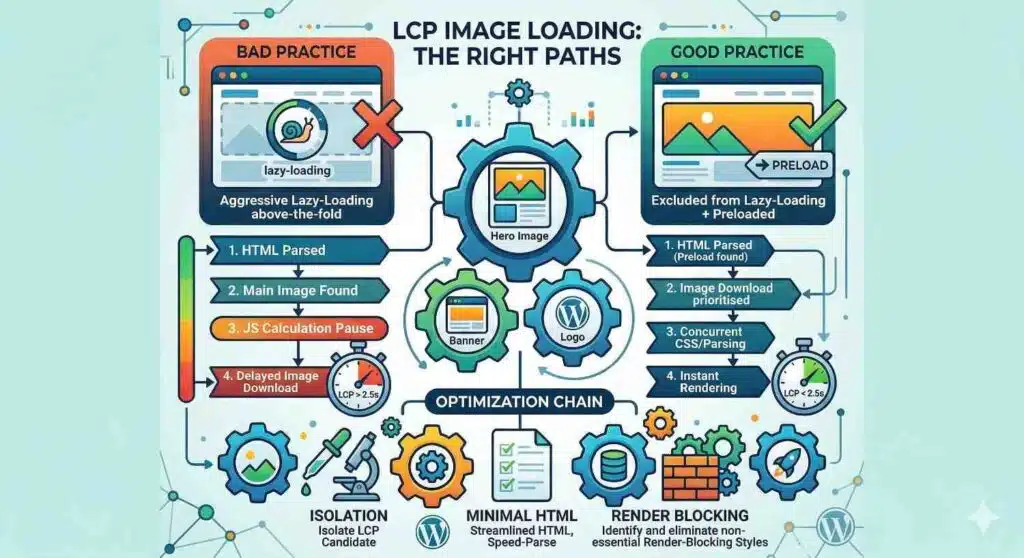
A far more productive method is to explicitly exclude above-the-fold assets from lazy loading while applying resource preloading tags. Preloading alerts the browser to prioritize the asset immediately during HTML parsing, skipping the standard CSS queuing sequence.
| Asset Type | Target Resolution (Desktop) | Target Resolution (Mobile) |
| Full-Width Hero Banners | 1920px wide | 750px wide |
| Standard Content Images | 1200px wide | 600px – 800px wide |
| Square Icons/Thumbnails | 150px wide | 150px wide |
As documented in the table above, matching resolution outputs directly to viewport constraints plays a foundational role in reducing payload weight. Loading multi-megabyte desktop files on a small mobile device stretches the limits of cellular networks and severely damages Largest Contentful Paint scores. Transitioning older image containers to WebP or AVIF formats reduces overall weight by 25% to 35% without sacrificing physical quality.
Time to First Byte Consolidation and Host Infrastructures
Client-side optimizations performed on the physical code layer can only succeed if the underlying server resources possess sufficient baseline throughput. Time to First Byte evaluates server response times and acts directly as a foundational bottleneck for Largest Contentful Paint. If the server requires several hundred milliseconds to compute database queries and generate the initial HTML payload, client-side rendering is delayed proportionally regardless of how lightweight the resulting assets are.
Upgrading shared hosting environments to high-performance managed infrastructure resolves this latency by deploying server-side caching mechanisms directly on the hypervisor layer. Moving a platform to an infrastructure utilizing fast solid-state drives and cloud edge nodes yields massive processing drops. Additionally, forcing the update of legacy PHP versions translates directly into performance gains, with PHP 8.2 exhibiting computation speeds up to 40% faster than PHP 7.4.
Advanced Database Strategies for Baseline Server Responsiveness
While front-end assets dictate the majority of Core Web Vitals scoring, backend data execution controls the baseline server responsiveness that impacts initial paint states. When relational databases accumulate massive amounts of stale data over several years, query execution delays become a regular occurrence. Post revisions, expired transients, and orphaned metadata from removed plugins force the server to sift through gigabytes of irrelevant entries to fulfill basic page assembly requests.
Custom Indexing and Autoload Reduction
The options table within a database is continuously queried to load site-wide structural settings on every single page view. When third-party plugins write massive serialized arrays to this table and mark them to load automatically, the memory consumed during initial page queries skyrockets. Monitoring the size of autoloaded data and containing it under a target limit of 1 megabyte prevents localized server memory overloads and prevents common 502 bad gateway errors.
For high-traffic portals, applying custom indexing directly to frequently accessed columns in tables like wp_postmeta drastically cuts down retrieval times. Instead of forcing a full table scan where the processor reads every row to find specific key pairings, the index operates as a lookup guide, bypassing irrelevant data and returning the requested content instantaneously.
To ensure that backend infrastructure remains lean, administrators should implement strict maintenance routines. Consolidating database structures preserves resource allocations for processing complex user interactions on the front end.
| Cleanup Task | Optimal Frequency | Impact Level |
| Remove expired transients | Weekly | High |
| Clean orphaned metadata | Monthly | Medium |
| Optimize post revisions | Monthly | Medium |
| Optimize order tables | Monthly | Medium |
As shown above, frequent removal of expired transients and metadata prevents relational arrays from ballooning uncontrollably. Administrators can accomplish these cleanups through automated cron jobs supported by tools like Advanced Database Cleaner, ensuring that legacy tables do not degrade baseline execution speeds over time.
Progressive Web Capabilities and Service Worker Integration
To separate localized rendering from network constraints entirely, deploying progressive web capabilities through service workers provides an advanced mechanism for isolating Core Web Vitals. A service worker acts as an independent proxy script running outside the primary window thread, intercepting network fetch requests before they ever reach the physical server.
By executing highly controlled caching strategies like cache-first for static assets and network-first for dynamic elements, a site can display visual frames immediately using local device memory. This offloads processing stress from the main execution thread and isolates front-end logic from external latency spikes caused by poor network conditions.
Service workers follow a strict lifecycle consisting of three main stages:
- Registration: The browser registers a service worker via background JavaScript embedded in the active child theme.
- Installation: The worker caches core assets specified in the installation block for offline access or appshell rendering.
- Activation: The worker starts controlling network requests, deleting old caches when a new version is installed to ensure users receive the latest files.
A service worker that supports an offline-first or appshell approach requires continuous tracking to confirm that it is not actively competing with the main thread during heavy rendering tasks. Because the worker does not have direct access to document object manipulations, it cannot independently fix rendering delays, but it provides the critical resource-delivery speed required to fuel front-end scripts rapidly.
Strategic Frameworks for Continuous Performance Auditing
Mastering the latest iterations of performance metrics demands that administrators look beyond simplistic optimization plugins and tackle performance bottlenecks at a fundamental structural level. Achieving strong scores across Largest Contentful Paint, Interaction to Next Paint, and Cumulative Layout Shift is executed by establishing lean architectures that eliminate unnecessary DOM nodes and isolate asset execution. Moving away from monolithic themes and bloated page builders toward natively supported block editing represents the most reliable path to achieving sustained loading efficiency.
Simultaneously, careful management of JavaScript execution, the cleanup of backend database tables, and the smart deployment of service workers act as reinforcing operations that ensure mobile devices are not penalized by excessive computation payloads. By establishing visual boundaries, reserving asset dimensions, and prioritizing above-the-fold resources, platforms stand to satisfy both human users and algorithm crawlers looking for exceptional digital environments. Constant monitoring through field data remains the ultimate defense against metric decay, as ongoing content alterations and code injections demand a proactive maintenance schedule to ensure layout stability and seamless interactivity persist indefinitely.
Share