
WebMCP for small business is no longer a lab demo. On August 5, 2026 Shopify turned ten in-tab agent tools on for every Liquid storefront—nothing to install. Cloudflare followed with a no-code WebMCP bridge preview at the edge. Chrome documents an Imperative API on document.modelContext.registerTool. For US SMB founders and product/ops leaders the useful question is not “should we add AI shopping widgets?” It is: what do we accept as the platform Floor, which of our flows still need a Fit, and when do we Forge a backend that works after the tab closes?
Softix calls that split Floor–Fit–Forge. It is a storefront and app decision, not a payments stack. Visa/Mastercard/Stripe agent checkout lives in our agentic commerce payments brief. Remote MCP servers and stateless auth live in the MCP servers security guide. This post is the in-page layer: tools that run in the shopper’s or user’s live browser session.
What actually shipped in August 2026
Treat these as confirmed from primary docs. None of them publish conversion lift, tool-call volume, or ranking effects.
Shopify (August 5, 2026). The changelog says stores “now expose WebMCP tools that AI agents can call,” live on every Liquid storefront and the Hydrogen developer preview, with “nothing to install or configure.” Work happens on the shopper’s live session; cart tools call the same standard storefront actions apps already use. Caveat: “agent support is currently limited to Chromium-based browsers through an origin trial.”
The WebMCP tools docs list ten tools: search_catalog, browse_store, get_product, show_variant, get_cart, update_cart, cancel_cart, proceed_to_checkout, manage_orders, and search_shop_policies_and_faqs. proceed_to_checkout takes the shopper to checkout after verifying the cart is not empty—it does not complete a purchase. manage_orders opens order history and asks for login if needed. Hydrogen preview notes (July 8, 2026) add that tools load via ShopifyScripts from Shopify’s CDN and can be opted out with webMcp={false}. Shopify has not claimed the same default for stable, production Hydrogen.
Cloudflare (developer preview). The Cloudflare blog launched a preview you can switch on with “no code and nothing changed at your origin.” Path: Agent Readiness > WebMCP. Cloudflare injects same-origin /.webmcp/bridge.js (preview packs c2pa and mcp-server-client). If the browser has no WebMCP surface, “it returns and does nothing.” Tools in this preview “run entirely in the visitor’s browser”: Content Credentials (C2PA metadata) and Site MCP Server (a page-side proxy to an MCP endpoint you already run, default /mcp). Cloudflare calls WebMCP “shipping experimentally in Chrome 146”; Chrome’s own posts start the public origin trial at Chrome 149. Search Engine Journal dates Cloudflare’s post the day after Shopify (August 6).
Chrome, the spec, and ChatGPT. Chrome’s Imperative API (published May 18, 2026, updated August 20, 2026) uses document.modelContext.registerTool({ name, description, inputSchema, execute }). A June 9 Chrome blog and the WebMCP overview put the origin trial at Chrome 149; local testing uses chrome://flags/#enable-webmcp-testing. Chrome: “Clients and browsers must visit a site directly to know if it has callable tools.” That is not an indexing feature.
The W3C Web Machine Learning Community Group draft is dated 26 August 2026. It is not a W3C Standard and is not on the Standards Track. Pages that use it “can be thought of as Model Context Protocol [MCP] servers that implement tools in client-side script instead of on the backend.”
OpenAI’s Site tools docs call this “ChatGPT’s implementation of the proposed WebMCP standard,” in the ChatGPT desktop built-in browser, for Work and Codex. Models: GPT-5.6 Sol or Terra. Luna has WebMCP disabled. Not available in Enterprise or Edu, and not in ChatGPT-in-Chrome. OpenAI currently skips the declarative HTML-form API and iframe-registered tools. SEJ reports origin-trial listings for Edge 150 and experimental Brave Leo support, with no tracker listing for Firefox or Safari—treat those as unconfirmed unless the browser vendor says otherwise. Default-on Shopify tools still need “a compatible WebMCP agent and browser environment.”
Secondary, labeled. SEJ also notes OpenAI Site tools on August 25, a 10-day WebMCP Challenge (Chrome, Shopify, Cloudflare, Netlify, Vercel, Render), and Shopify Distinguished Engineer Ilya Grigorik saying ChatGPT’s browser can browse Shopify catalogs and assemble carts. Grigorik’s comment is not a Softix traffic study. SEJ found no official conversion figures.
WebMCP for small business: the Floor–Fit–Forge split
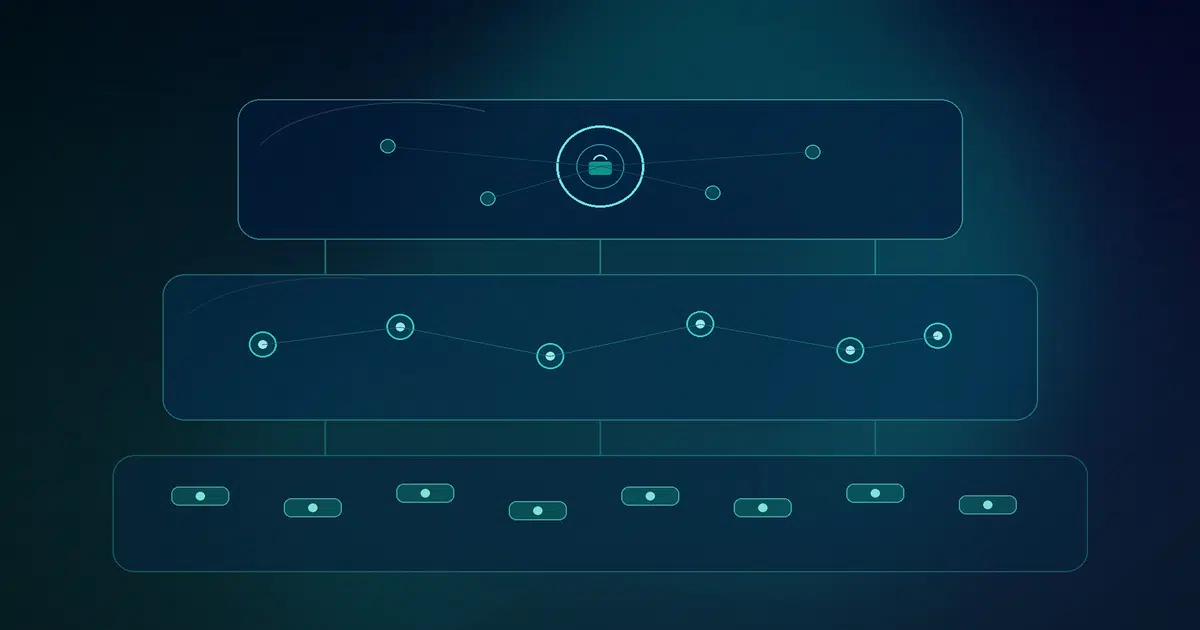
Put the work on one of three shelves before anyone files “make us agent-ready.” Floor–Fit–Forge exists so you do not rebuild Shopify’s ten tools, and so you do not pretend a Cloudflare toggle taught an agent your booking flow.
Floor — accept platform defaults
Use when: hosted Liquid and the path that matters is catalog → product → cart → checkout → policy FAQ; or Cloudflare and this quarter’s job is C2PA provenance or proxying an MCP server you already run.
Prefer: Shopify’s ten tools (live, no install) and/or Cloudflare’s preview packs (one switch, no origin change).
Do not treat Floor as the whole plan when: the thing that makes you money is missing—a configurator, booking widget, B2B quote, or SaaS dashboard. Shopify’s published tool list does not include those; Cloudflare’s packs are provenance and an MCP proxy. Hydrogen preview teams can set webMcp={false}. Stable Hydrogen or custom headless should assume they are not on the Liquid Floor until getTools() says otherwise.
Fit — declare custom tools on your unique flows
Use when: an agent in the current tab should drive a flow you already show humans: configure a SKU, book a slot, request a quote, set a dashboard date range, or submit a Woo/WordPress/Next.js form that is not a standard Shopify action.
Prefer: Chrome’s Imperative API. Feature-detect document.modelContext?.registerTool, then register a name, description, JSON Schema inputSchema, and an execute that calls your existing application logic and permissions. Unregister with an AbortSignal; there is no unregisterTool(). HTTPS is required; the spec gates the API on the tools Permissions Policy (default 'self'). Chrome notes experimental React (usewebmcp) and Angular helpers.
Build work: pick a handful of actions that are actually yours; write honest descriptions; keep inputs narrow; return enough data that a human can see what changed; log invocations. Register on the top-level page if ChatGPT Site tools matter—OpenAI currently ignores iframe tools. Fit is a web app contract on UI you already ship, not a new storefront.
Forge — backend MCP or custom software when the page cannot stay open
Use when: the action must work without the page open, or it needs durable auth, live inventory, or money movement the in-page tool should not pretend to finish.
WebMCP tools die with the tab. OpenAI: “Closing or navigating away from a page can make its tools unavailable.” Chrome: the API is “primarily designed for local browser workflows with a human in the loop.” Shopify’s checkout tool does not capture a card. Draft orders, stock reservation, and approved payment after the browser is gone belong in server MCP / custom software—the Forge. Keep the same authorization humans already have.
Floor vs Fit vs Forge
| Decision | Floor | Fit | Forge |
|---|---|---|---|
| Who ships the tools | Shopify (Liquid / Hydrogen preview) or Cloudflare packs | Your theme, app, or web app | Your backend / MCP server / custom software |
| Session | Live tab, shopper/user cookies | Live tab, same origin | Independent of an open page |
| Typical SMB use | Catalog, cart, checkout handoff, policy FAQ; C2PA or existing /mcp proxy |
Configurators, booking, B2B quotes, SaaS dashboards, Woo/WordPress/Next.js unique flows | Inventory, durable auth, money movement, jobs that must finish after the tab closes |
| Main failure mode | Assuming custom flows are included | Tool descriptions that lie; no invocation logs | Reimplementing the storefront on a server and drifting from the UI |
Privacy, security, and what not to expose
The signed-in tab is the appeal and the risk. The draft spec’s security section is blunt: agents can inherit cookies; descriptions and return values are natural language the model will treat as context.
Practical SMB defaults (not legal advice):
- Keep money and permission changes off the Floor. Shopify already stops at “go to checkout.” Do not register a Fit tool that charges a card or resets a password. Put those in Forge with the same confirmations humans get.
- Write boring descriptions. The spec’s example is
finalizeCartdescribed as “finalizes the cart” whileexecutetriggers a purchase. Name the side effect. SetreadOnlyHint: trueonly when the path cannot mutate. If a tool returns reviews or other user-generated text, setuntrustedContentHint: true. - Do not over-parameterize. The spec’s privacy example is a dress search that also asks for age, pregnancy, location, and prior purchases. Ask only what the action needs. OpenAI: reuse existing authentication, authorization, and input validation.
- Log the call, not the agent’s story. Record tool name, arguments, result hash, and user id. Assume prompt injection.
- Know the Floor is already on. Liquid merchants did not flip a switch. Shopify’s public WebMCP docs reviewed for this draft do not document a merchant-facing per-tool kill switch. Hydrogen preview teams at least have
webMcp={false}.
This is not a ranking lever. Chrome and SEJ both separate discovery (how someone arrives) from actuation (what happens after they are on the page).
A 90-day plan that matches the spec’s maturity
WebMCP is a Community Group draft plus origin trials plus vendor previews. Budget learning, not a conversion OKR.
Days 1–14 — Floor audit. On Liquid, load home and a product template in WebMCP-capable Chrome. Call document.modelContext.getTools() and confirm the ten names. Confirm the theme’s cart still uses standard storefront actions. On Cloudflare, curl for /.webmcp/bridge.js only if you intend to turn the preview on. Write down three flows the Floor cannot see.
Days 15–45 — Fit two tools. Pick the highest-value unique flow (configurator, booking, quote, or dashboard filter). Register it with feature detection, a tight schema, and the same endpoints the human UI uses. Test in Chrome and, if eligible, ChatGPT desktop Site tools. Log every invocation.
Days 46–90 — Forge the rest. Anything that must survive a closed tab, touch inventory, or move money gets a backend MCP or custom-software design; the in-page tool only prepares and hands off. Re-read the MCP servers security guide before you expose a durable server. Keep the human UI working for browsers that never ship WebMCP.
FAQ
Do I need to install an app to get Shopify WebMCP on Liquid?
No. Shopify’s changelog and WebMCP tools docs both say the tools are live on every Liquid storefront and the Hydrogen developer preview with nothing to install or configure.
Does proceed_to_checkout charge the customer?
Not according to Shopify. It verifies the cart is not empty and takes the shopper to checkout. Payment completion is a different problem—see the agentic commerce payments brief.
Is this the same as MCP servers?
No. OpenAI: MCP can work without an open page; WebMCP makes the current website available as tools in the live session. A site can support both. Cloudflare’s Site MCP Server pack is a bridge from one to the other.
Can ChatGPT Enterprise or Edu use Site tools?
OpenAI’s docs say no, and GPT-5.6 Luna has WebMCP disabled. Eligible path: latest ChatGPT desktop app, Work or Codex, GPT-5.6 Sol or Terra, plus whatever the current page registered.
Will this help us rank?
No evidence in the primary sources reviewed. Chrome says clients must already be on the site to see tools.
Map Floor, Fit, and Forge on your storefront or SaaS app
Softix can help you inventory which Shopify or Cloudflare defaults already cover you, which unique flows deserve registerTool, and which actions belong in backend MCP or custom software. We will not promise rankings, conversion lift, or ROI from a draft standard.
Contact Softix with your stack (Liquid, Hydrogen preview, Woo/WordPress, Next.js, or SaaS), the two flows that actually make you money, and whether those flows must work after the tab closes.
Share


