In an era where cyber threats evolve daily and data breaches make headlines with alarming frequency, securing web applications has become a paramount concern for businesses of all sizes. Traditional network firewalls, while essential, fall short when it comes to protecting against sophisticated application-layer attacks that exploit vulnerabilities in web application code, logic, and configurations. This is where Web Application Firewalls (WAFs) emerge as a critical security component, providing a protective shield specifically designed to defend web applications against the most common and dangerous attack vectors.
A Web Application Firewall operates at the application layer of the OSI model, analyzing HTTP and HTTPS traffic between clients and web servers. Unlike traditional firewalls that focus on network-level traffic, WAFs understand web application protocols, can parse request parameters, inspect payloads, and identify malicious patterns that indicate attacks such as SQL injection, cross-site scripting, and other OWASP Top 10 vulnerabilities. For organizations running custom web applications—particularly those handling sensitive data or critical business functions proper WAF configuration represents the difference between robust security and catastrophic compromise.
The challenge of WAF configuration becomes even more nuanced when dealing with custom applications. Off-the-shelf security rules designed for popular platforms like WordPress or standard e-commerce systems often don’t align perfectly with custom application architectures, unique API endpoints, or specialized business logic. This article explores the intricacies of configuring WAFs specifically for custom applications, providing practical guidance that security professionals and development teams can apply to protect their unique web properties effectively.
Understanding WAF Fundamentals and Architecture
Before diving into configuration specifics, it’s essential to understand what WAFs are, how they function, and the different deployment models available. A Web Application Firewall serves as a reverse proxy that sits between clients and your web application, inspecting all traffic before it reaches your application servers. This positioning allows the WAF to filter out malicious requests while permitting legitimate traffic to flow through unimpeded. The effectiveness of a WAF depends not only on its core capabilities but also on how well it’s configured to understand your specific application’s normal behavior and security requirements. Applications built with custom web design and unique architectural patterns require tailored WAF configurations that account for their specific endpoints, authentication mechanisms, data flows, and business logic, ensuring security rules protect without disrupting legitimate functionality or creating false positives that frustrate users and waste security team resources.
WAF deployment models fall into three main categories, each with distinct advantages and considerations. Cloud-based WAFs, provided as a service by vendors like Cloudflare, AWS WAF, or Akamai, offer rapid deployment, automatic updates, and scalability without infrastructure investment. These solutions work by routing your traffic through the provider’s network, where inspection occurs before forwarding clean traffic to your servers. Host-based WAFs are installed directly on your application servers as software agents, providing deep integration with the application environment and direct access to local resources. Network-based WAFs are hardware or virtual appliances deployed in your network infrastructure, offering high performance and control but requiring more significant infrastructure investment.
The core components of WAF functionality include signature-based detection, behavioral analysis, and positive security models. Signature-based detection matches incoming requests against known attack patterns—for example, identifying SQL injection attempts by recognizing common SQL keywords and syntax patterns in unexpected contexts. Behavioral analysis establishes baselines of normal application behavior and identifies anomalies that might indicate attacks or compromised accounts. Positive security models define what is allowed rather than what is blocked, creating whitelist-based rules that only permit expected request patterns, methods, and parameters.
Understanding request flow through a WAF helps inform configuration decisions. When a request arrives, the WAF first performs basic protocol validation, ensuring the HTTP request is properly formed. Next, it applies rate limiting and IP reputation checks, blocking known malicious sources or requests exceeding defined thresholds. The WAF then matches the request against security rules, evaluating whether it contains attack signatures or violates positive security policies. If the request passes all checks, it’s forwarded to the application server; otherwise, it’s blocked and logged. Response inspection can also occur, ensuring the application doesn’t leak sensitive information or return malicious content.
Custom Application Security Requirements Analysis
Effective WAF configuration begins with thoroughly understanding your custom application’s architecture, functionality, and unique security requirements. Generic security rules rarely provide optimal protection for custom applications without significant tuning, and attempting to deploy a WAF without this understanding leads to either excessive false positives that block legitimate users or inadequate protection that allows attacks through.
Start by documenting your application’s architecture comprehensively. Map all endpoints including API routes, form submission handlers, file upload mechanisms, and administrative interfaces. Identify the request methods each endpoint accepts—GET, POST, PUT, DELETE, PATCH—and the expected parameters for each. Note which endpoints require authentication, the authentication mechanisms used, and any role-based access control requirements. Understanding data flows—where sensitive data enters the application, how it’s processed, and where it exits—helps you apply appropriate security controls at each stage.
Application-specific input patterns require special attention. Custom applications often have unique data formats, specialized syntax, or domain-specific languages that standard WAF rules might mistake for attacks. For example, if your application accepts mathematical formulas, regular expressions, or code snippets as legitimate input, you’ll need to configure the WAF to recognize these patterns as valid rather than blocking them as potential injection attacks. Document these special cases thoroughly, as they’ll require custom rule exceptions.
Authentication and session management deserve careful analysis. How does your application establish user sessions? Are you using cookies, bearer tokens, or custom authentication headers? What are the valid session ID formats? Understanding these mechanisms allows you to configure the WAF to identify session hijacking attempts, detect anomalous authentication patterns, and protect login endpoints against brute force attacks without interfering with legitimate login flows.
Third-party integrations and external APIs create additional security considerations. If your application calls external services, receives webhooks, or integrates with partner systems, you need to configure the WAF to handle these interactions appropriately. This might involve whitelisting specific IP addresses for webhook sources, allowing certain request patterns from trusted integration partners, or implementing mutual TLS authentication for API communications.
Implementing Core WAF Security Rules
With a solid understanding of your application’s requirements, you can begin implementing WAF security rules that provide robust protection while minimizing false positives. The goal is layered defense—multiple security controls that work together to block attacks even if individual rules are bypassed.
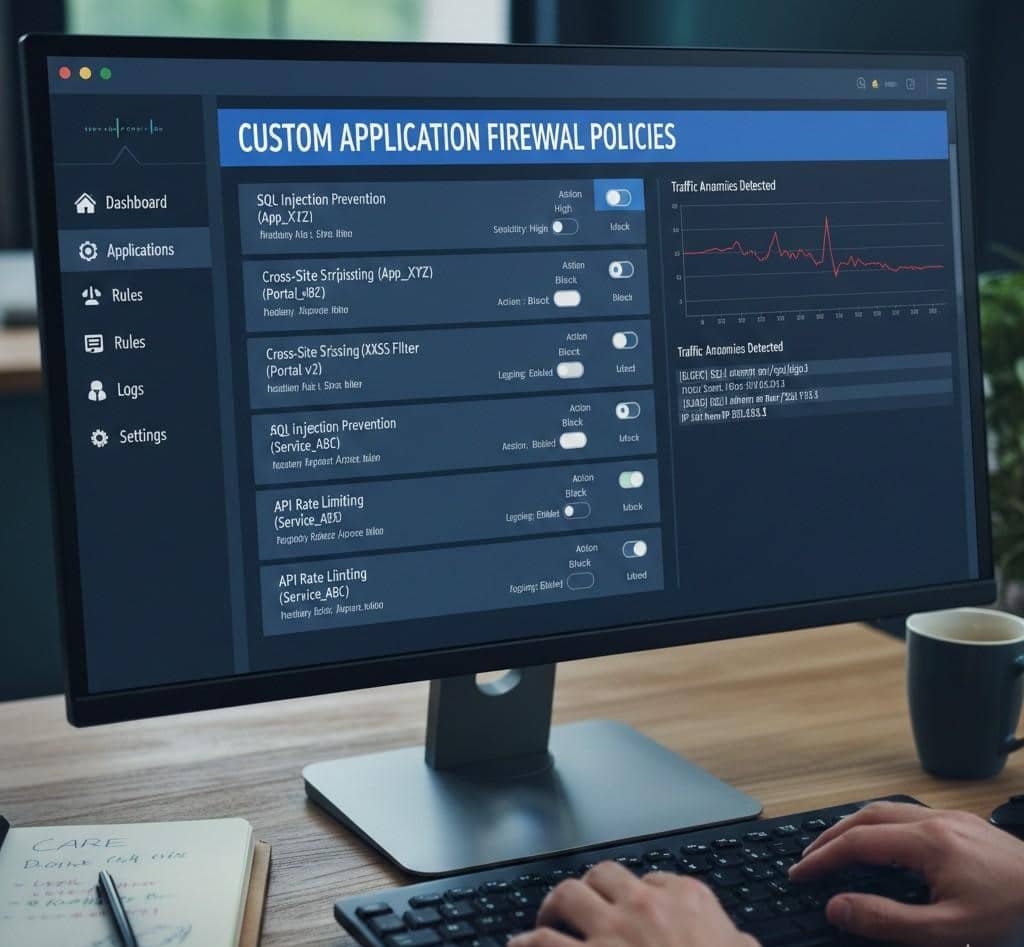
SQL injection protection represents one of the most critical security rules for any web application. Configure your WAF to detect SQL syntax patterns in unexpected locations, such as URL parameters, form fields, or HTTP headers. Look for SQL keywords like SELECT, UNION, INSERT, DROP combined with special characters like single quotes, semicolons, and comment markers. However, simply blocking requests containing these patterns can create false positives. Fine-tune rules based on your application’s input patterns—if certain fields legitimately accept SQL-like syntax, create exceptions for those specific contexts while maintaining protection elsewhere.
Cross-site scripting (XSS) prevention requires rules that identify JavaScript injection attempts. Configure detection for script tags, JavaScript event handlers, and encoded variations of these patterns. Modern XSS attacks are sophisticated, using various encoding techniques to bypass basic filters, so enable the WAF’s decoding and normalization capabilities to catch these obfuscated attacks. Pay particular attention to user-generated content areas like comments, profile fields, and search queries where XSS attempts commonly occur.
Path traversal and local file inclusion attacks attempt to access files outside the intended application directory. Configure rules that detect patterns like “../” or encoded equivalents in file path parameters. Block requests attempting to access sensitive system files or configuration files. If your application legitimately allows file operations, implement strict whitelisting of allowed file paths and names rather than trying to blacklist dangerous patterns.
Command injection protection prevents attackers from executing system commands through vulnerable application inputs. Block shell metacharacters like semicolons, pipes, ampersands, and backticks in contexts where they shouldn’t appear. Detect common command keywords when they appear in unexpected locations. This protection is especially important for applications that interact with the underlying operating system or execute system commands based on user input.
Remote file inclusion vulnerabilities allow attackers to include malicious code from external sources. Configure rules that block external URLs in include statements or file operation parameters. Detect PHP include functions, ASP.NET Server.Execute calls, or similar mechanisms when used with external URLs or suspicious file paths.
Advanced WAF Configuration Techniques
Beyond basic security rules, advanced WAF configuration techniques provide deeper protection and better adapt to your custom application’s specific needs. These techniques require more sophisticated configuration but deliver substantially improved security postures.
Rate limiting and traffic shaping prevent abuse and protect against denial-of-service attacks. Configure rate limits at multiple levels: per IP address, per session, per user account, and globally. Set different limits for different endpoint types—API endpoints might have stricter limits than static content requests, while login endpoints need aggressive rate limiting to prevent brute force attacks. Implement progressive throttling where repeated violations result in increasingly severe rate restrictions or temporary bans.
Geolocation-based filtering allows you to restrict or enhance scrutiny on traffic from specific geographic regions. If your application primarily serves a specific country or region, you can apply stricter rules to traffic from unexpected locations. However, be cautious with overly aggressive geographic blocking as it can create legitimate access issues for traveling users or those using VPNs. Consider implementing risk-based approaches where geographic anomalies trigger additional authentication challenges rather than outright blocks.
Custom security rules tailored to your application’s unique attack surface provide the most effective protection. Create rules that enforce your application’s specific business logic constraints—for example, if order quantities should never exceed certain values, create WAF rules that validate this constraint before requests reach your application. If certain API endpoints should only be accessed in specific sequences, configure rules that detect out-of-sequence access patterns.
Bot detection and management capabilities help distinguish between legitimate automated traffic and malicious bots. Configure challenge-response mechanisms like CAPTCHAs for suspicious traffic, implement JavaScript-based challenges that verify browser legitimacy, and use machine learning-based bot detection when available. Create separate policies for known good bots like search engines, applying permissive rules while maintaining strict controls on unknown automated traffic.
API security requires specialized WAF configuration. REST APIs have different security considerations than traditional web applications. Implement schema validation that ensures API requests conform to expected formats and data types. Configure authentication and authorization checks specific to API access patterns. Implement rate limiting appropriate for programmatic access. Validate content types, ensure proper HTTP methods are used for each endpoint, and enforce API versioning requirements.
Monitoring, Tuning, and Maintenance
Deploying a WAF is not a set-and-forget security measure. Effective WAF operations require continuous monitoring, regular tuning, and proactive maintenance to maintain optimal protection while minimizing operational friction.
Log analysis forms the foundation of WAF operations. Configure comprehensive logging that captures all blocked requests, suspicious patterns, and rule violations. Analyze these logs regularly to identify attack trends, tune rule configurations, and detect emerging threats. Look for patterns in blocked requests—repeated blocks from the same rule might indicate either a genuine attack pattern or a false positive that needs rule adjustment. Set up alerting for critical events like SQL injection attempts, authentication failures, or unusual traffic spikes.
False positive management requires ongoing attention. When legitimate requests are incorrectly blocked, users experience frustration and business operations suffer. Establish a process for investigating reported access issues, determining whether they represent false positives, and adjusting rules appropriately. Document all rule exceptions and the reasoning behind them. Review exceptions periodically to ensure they remain necessary and haven’t created security gaps.
Regular rule updates keep your WAF effective against evolving threats. Security vendors continuously update rule sets to address newly discovered vulnerabilities and attack techniques. Schedule regular updates of managed rule sets, but test updates in a staging environment before production deployment to ensure they don’t introduce false positives. Subscribe to security bulletins from your WAF vendor and the broader security community to stay informed about emerging threats relevant to your technology stack.
Performance monitoring ensures the WAF doesn’t become a bottleneck. Track metrics like request latency, throughput, CPU and memory utilization, and blocked request percentages. Investigate performance degradation promptly, identifying whether it stems from attack traffic, rule inefficiency, or capacity constraints. Scale WAF resources appropriately as traffic grows.
Security testing validates that your WAF configuration provides expected protection. Conduct regular penetration testing that specifically attempts to bypass WAF controls. Use both automated vulnerability scanners and manual testing by security professionals. Test common attack vectors like SQL injection, XSS, CSRF, and application-specific vulnerabilities. Document testing results and adjust WAF configuration to address any successful bypass techniques discovered.
Integration with Development and DevSecOps
Modern application development requires security to be integrated throughout the development lifecycle rather than bolted on at the end. Effective WAF configuration supports and enhances DevSecOps practices, providing security without impeding development velocity.
Implement WAF-as-Code practices where WAF configurations are version controlled, reviewed, and deployed through CI/CD pipelines alongside application code. Store configurations in Git repositories, apply code review processes to security rule changes, and automate deployment to ensure consistency across environments. This approach provides configuration history, facilitates collaboration between security and development teams, and enables rapid rollback if configurations cause issues.
Environment-specific configurations allow different security postures for development, staging, and production environments. Development environments might use permissive rules that log but don’t block attacks, allowing developers to test without security interference while still gaining visibility into potential vulnerabilities. Staging environments can use production-equivalent rules to validate that new features don’t trigger false positives before deployment. Production environments maintain the strictest security posture.
Security feedback loops between WAF insights and application development improve both security and application quality. When the WAF repeatedly blocks certain attack patterns targeting specific application areas, that information should flow back to developers who can address the underlying vulnerabilities. Similarly, when application changes introduce new functionality, development teams should proactively update WAF configurations to appropriately protect new features.
Automated testing should include WAF validation, ensuring that application changes don’t inadvertently create security gaps or trigger excessive false positives. Include both positive tests verifying that legitimate requests succeed and negative tests confirming that attack patterns are blocked. Integrate these tests into CI/CD pipelines so security issues are caught before production deployment.
Real-World Configuration Scenarios
Examining specific scenarios illustrates how theoretical WAF concepts translate into practical configurations that protect custom applications effectively.
E-commerce platforms with custom checkout processes require carefully tuned WAF rules. Payment processing pages need strict protection against injection attacks and session hijacking while ensuring legitimate transactions aren’t blocked. Configure rate limiting that prevents automated checkout abuse without frustrating legitimate customers during high-traffic sales events. Implement geographic restrictions appropriate for your market while accounting for international customers. Create custom rules that validate shopping cart logic, preventing manipulation of prices or quantities through parameter tampering.
API-driven mobile applications present unique challenges. Mobile apps often have predictable API usage patterns that differ from web browser access, enabling tighter security controls. Configure rules that validate API tokens, enforce request signing requirements, and detect anomalous API usage patterns. Implement certificate pinning verification at the WAF level to prevent man-in-the-middle attacks. Create separate rate limiting profiles for mobile API traffic versus web traffic, accounting for different usage patterns.
Multi-tenant SaaS platforms require WAF configurations that protect all tenants while isolating their traffic. Implement tenant identification at the WAF level, potentially through subdomain analysis or custom headers. Configure rules that prevent cross-tenant data access attempts. Create tenant-specific rate limiting that prevents one tenant from consuming excessive resources. Maintain separate logging and monitoring for different tenant tiers if your platform offers varying service levels.
Single-page applications (SPAs) with heavy JavaScript frameworks require WAF configurations that understand their unique communication patterns. SPAs often communicate extensively through JSON APIs, requiring rules that validate JSON structure and content. Configure CORS policy enforcement at the WAF level, ensuring only authorized origins can access your APIs. Protect against JSON injection attacks and validate that API responses don’t leak sensitive information.
Conclusion
Web Application Firewall configuration for custom applications represents a sophisticated security practice that requires deep understanding of both security principles and your specific application architecture. While the complexity might seem daunting, the protection WAFs provide is indispensable in today’s threat landscape. Properly configured WAFs block the vast majority of common attacks automatically, providing defense-in-depth that complements secure coding practices and regular security testing.
The key to successful WAF implementation lies in treating it as an ongoing security practice rather than a one-time project. Begin with solid fundamentals understand your application thoroughly, implement core security rules carefully, and establish monitoring and tuning processes from day one. Build on this foundation with advanced techniques tailored to your specific risks and requirements. Integrate WAF operations into your development workflows, creating security feedback loops that continuously improve both your application and your security posture.
Remember that WAFs are one component of a comprehensive security strategy. They provide excellent protection against many common attacks but cannot compensate for fundamentally insecure application code or poor security practices elsewhere in your infrastructure. Combine WAF deployment with secure development practices, regular security testing, prompt vulnerability patching, and robust monitoring to create defense-in-depth that protects your custom applications comprehensively.
As your application evolves, your WAF configuration must evolve with it. New features require security rules updates, changing threat landscapes demand rule adjustments, and growing traffic necessitates capacity planning. By maintaining this ongoing commitment to WAF optimization and staying informed about emerging security threats, you ensure that your custom application remains protected against both current and future attack vectors, safeguarding your business operations and user data effectively.